Building a Native macOS Google Calendar App in 48 Hours
Two days. That's all it took to transform hora — a native macOS Google Calendar client built with SwiftUI — from a working prototype into something that actually feels like a product.
Here's what happened.
If you missed it, here's why I'm building hora Calendar in the first place.
Day 1: Kill Your Darlings
The hardest part of shipping isn't building — it's deciding what not to build.
I started by cutting scope aggressively, because some initial features weren't working properly. Menu bar widget? Gone and waiting for its moment. Gmail integration for meeting briefings? Removed to be able to ship the app faster. Day View? Ripped out (to rebuild properly later). Every feature that wasn't core to the "fast, native Google Calendar" promise got axed.
With the dead weight removed, I redesigned everything that remained:
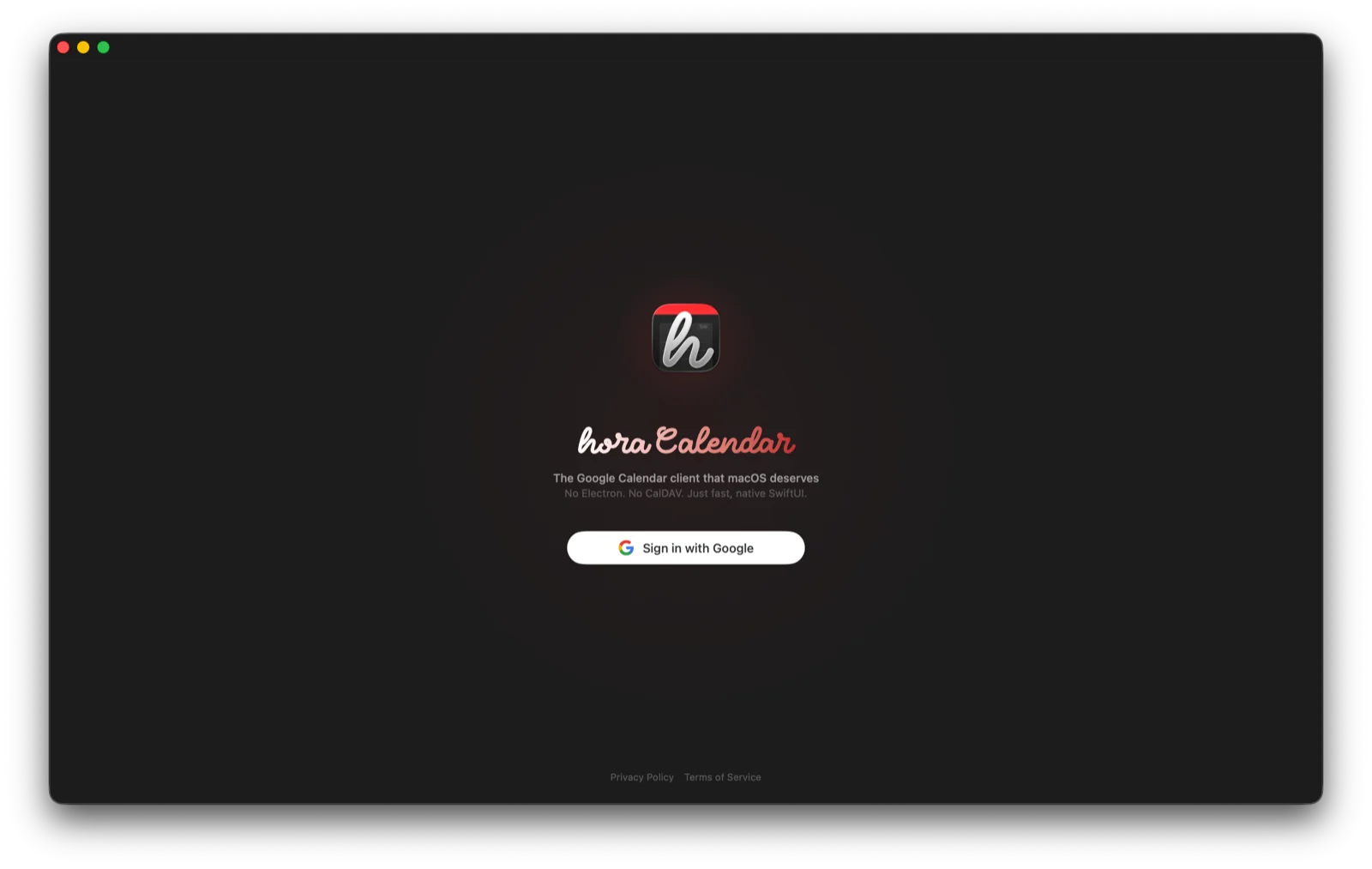
- Login screen — app icon front and center, Bumbbled font, Google branding, links to Terms & Privacy
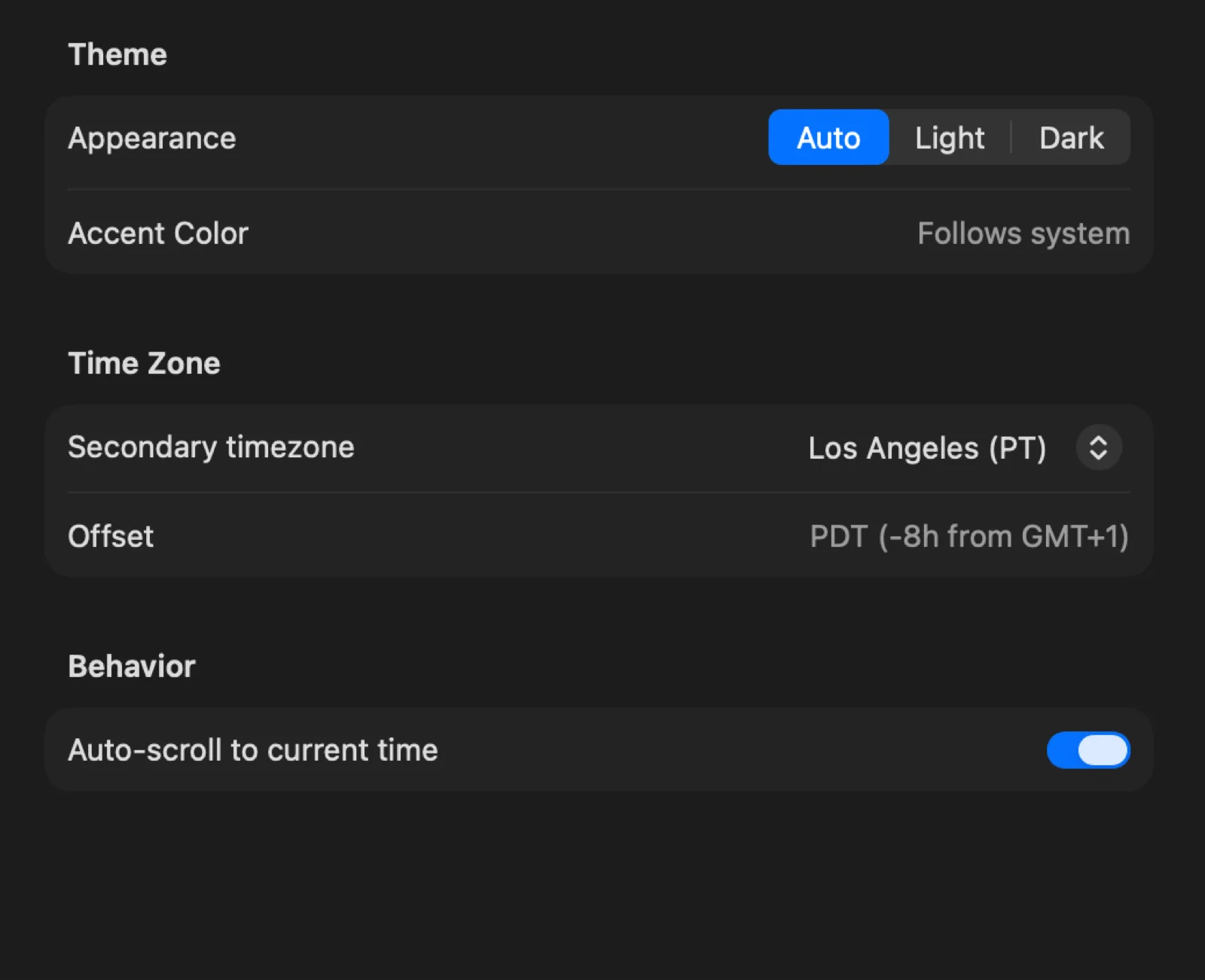
- Settings — rebuilt from scratch with card-grouped sections: About, Accounts (with real Google avatars), Calendars, Appearance, Notifications, Advanced
- Event interactions — resize handles on top and bottom edges with 15-minute snap, double-click visual feedback, proper drag & drop priorities. Still some fixes on the bugs list there.
The Compound Key Fix
One bug drove me crazy: shared calendars from multiple Google accounts would collide because they shared the same Google calendar ID. The fix was simple once I found it — compound keys using googleID + accountEmail. But finding it required digging through crash logs from a Dictionary initializer receiving duplicate keys.
Day 1.5: Security Matters
Draft version of the OAuth flow was embedding client_secret directly in the binary. Anyone with a disassembler could extract it.
The fix: PKCE (RFC 7636). Instead of a static secret, the app generates a random code_verifier for each auth attempt, hashes it into a code_challenge, and sends both to Google. No secret in the binary, no secret to steal.
Day 2: The Feature Sprint
With a clean foundation, I went on a P0 feature sprint:
DayView (rebuilt properly)
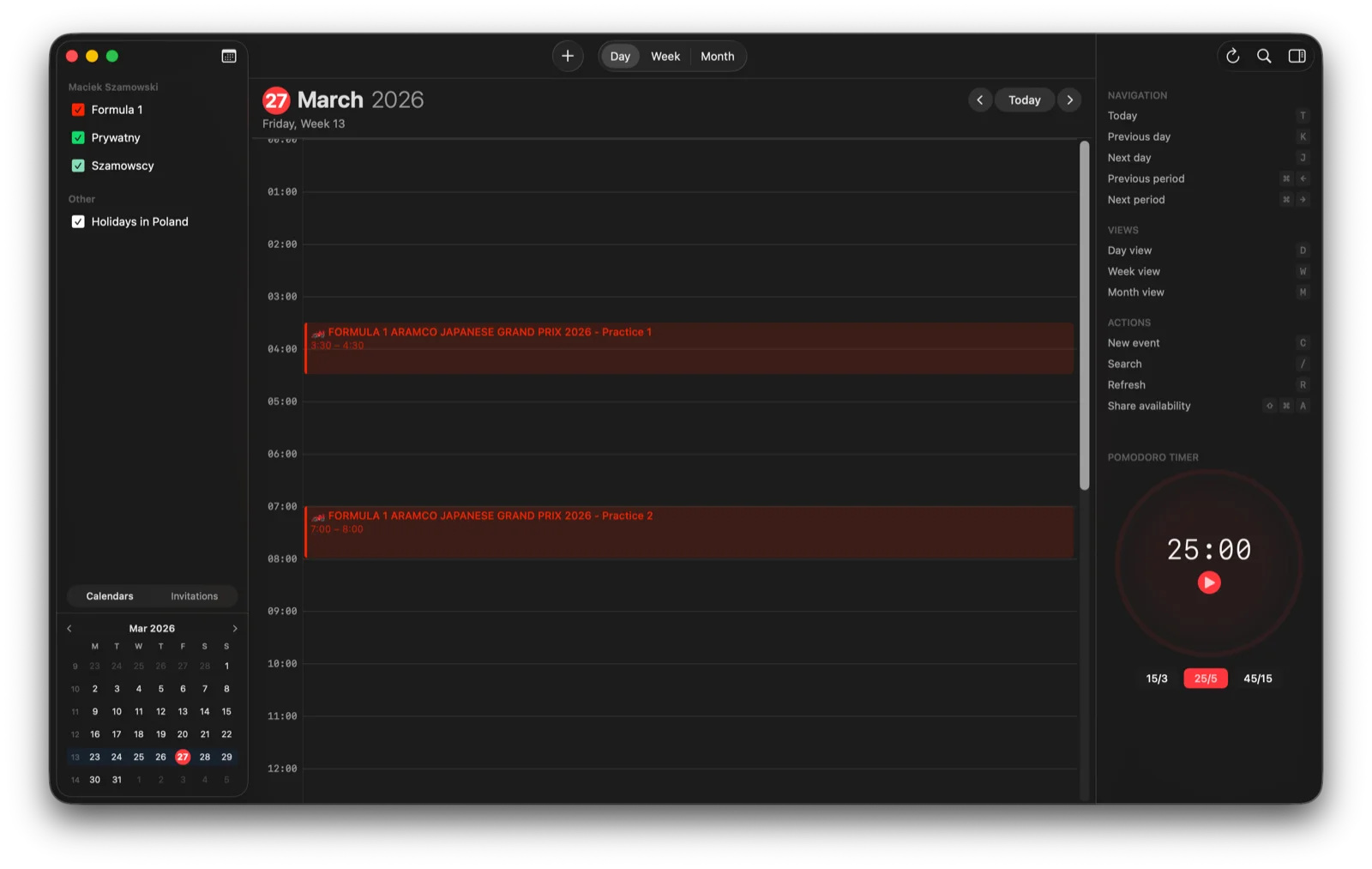
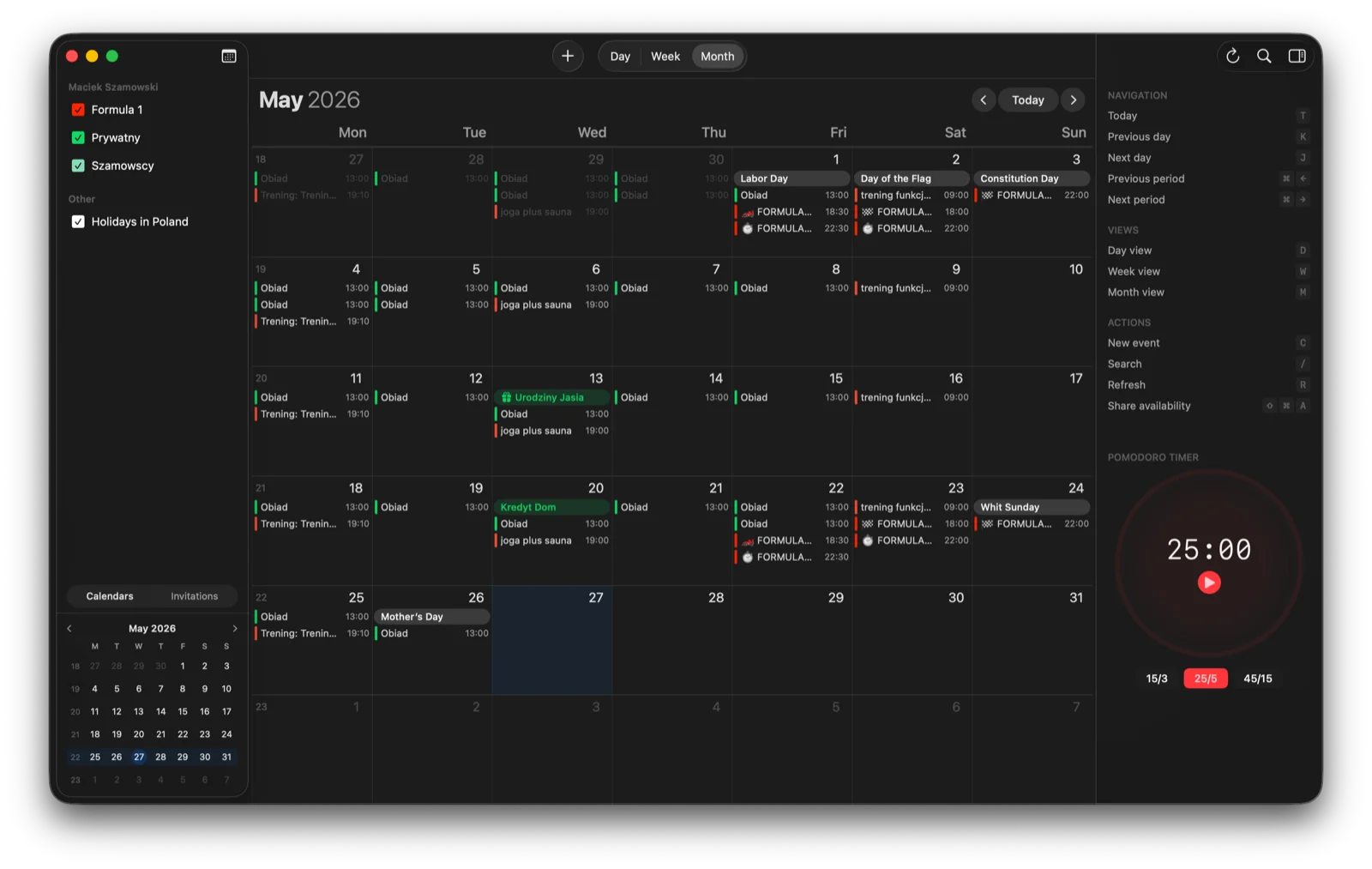
A single-column timeline view extracted from WeekView — all interactions (create, edit, drag, resize) working now as intended.
Dual Time Zone
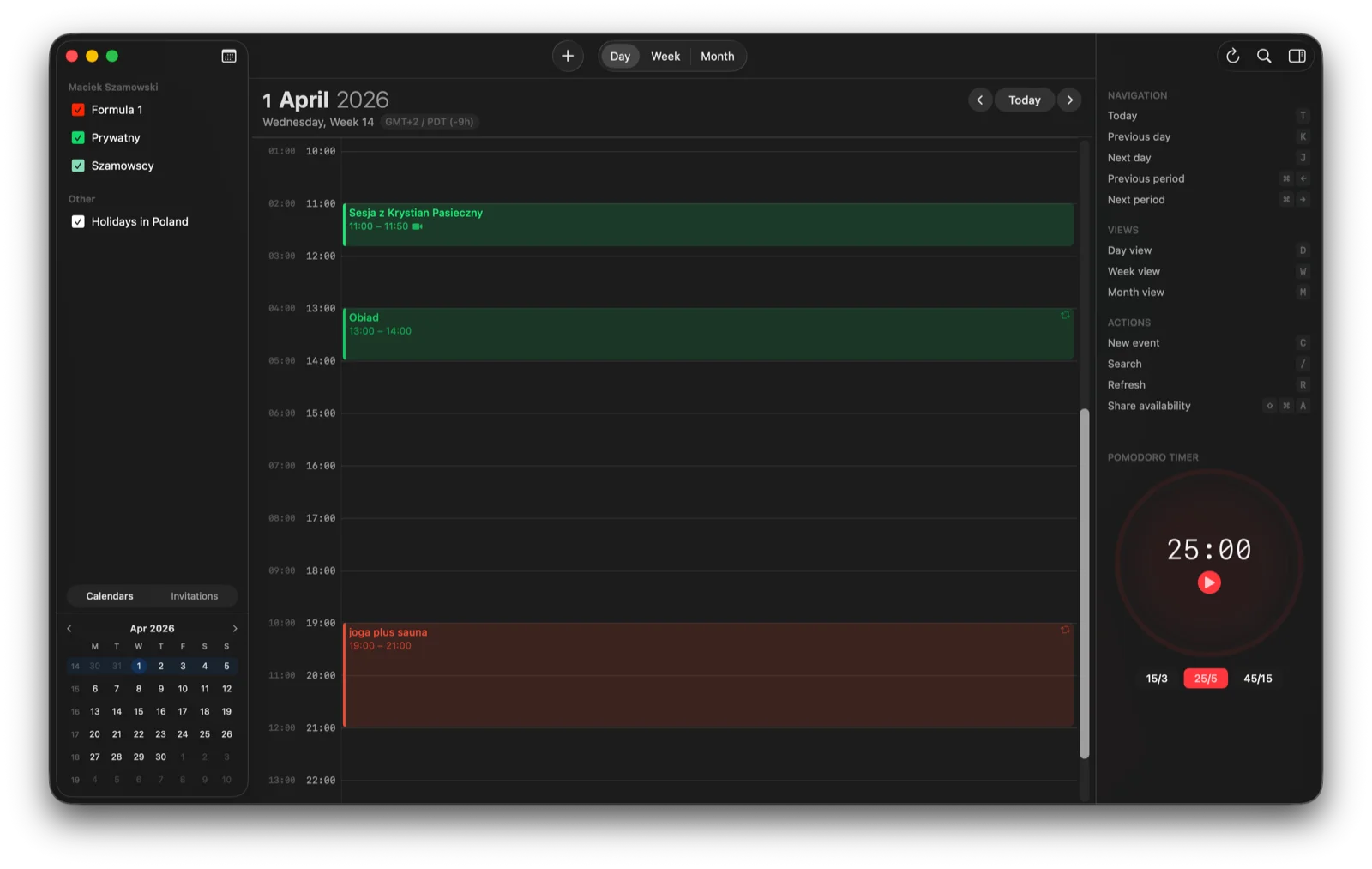
For anyone who works across timezones (I know you do!). A precomputed O(1) offset table means zero performance hit. Secondary timezone shows up in Week and Day views, configurable in Settings.
Availability Sharing
Hit Cmd+Shift+A and hora queries Google's freeBusy API, generates your free slots for the next few days, and copies them to clipboard. Paste into Slack, email, wherever.
WidgetKit
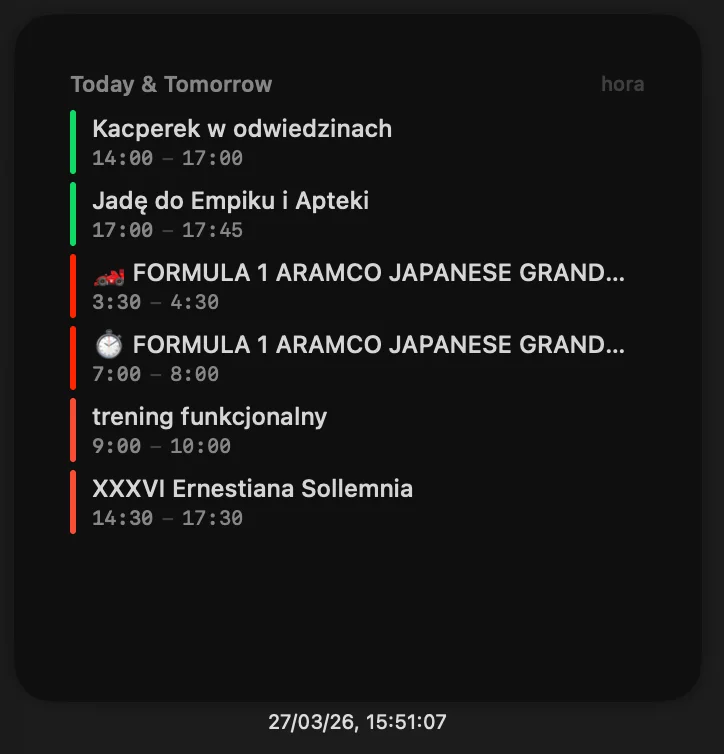
A proper macOS widget showing today's and tomorrow's agenda. Calendar colors, event titles, and "Join Call" buttons for Google Meet links. Medium and large sizes.
Focus Mode Integration
hora can now toggle macOS Focus mode when a meeting starts and ends, using Shortcuts integration.
Conference Provider Picker
Google Meet is default, but you can now pick Zoom, Teams, or paste a custom conference URL.
What I Learned
Scope cuts unlock speed. Removing 4 features let me ship 6 new ones in the same time window.
Security can't wait. PKCE should have been there from commit one. It wasn't hard to add, but the longer you wait, the more OAuth flows you have to refactor.
WidgetKit is underrated. It took maybe not many hours to build a widget that makes the whole app feel more integrated with macOS.
What's Next
Next up: I'm tackling recurring event editing, keyboard navigation, and the Mac App Store submission. There's a lot of road ahead, but the foundation is in place and every session moves the needle.
Check out hora Calendar on horacal.app and follow the journey: @moto_szama on X.