Week One in Numbers: Building hora Calendar in Public
Few weeks ago, hora Calendar was a blank Xcode project. Today it's a fully functional native macOS Google Calendar client that I use as my daily driver. If you're new here, read why I'm building hora and how the first 48 hours went. Here's the raw, unfiltered breakdown of week one.
The Numbers
- 107 commits across two repos (68 in the app, 39 on the website)
- 87 Swift files, ~15,800 lines of code
- 3 Swift Packages — modularized into HoraCore, HoraGoogleAPI, and HoraSync
- 9 languages supported (more on that below)
- 2 CI pipelines — Xcode Cloud + GitHub Actions
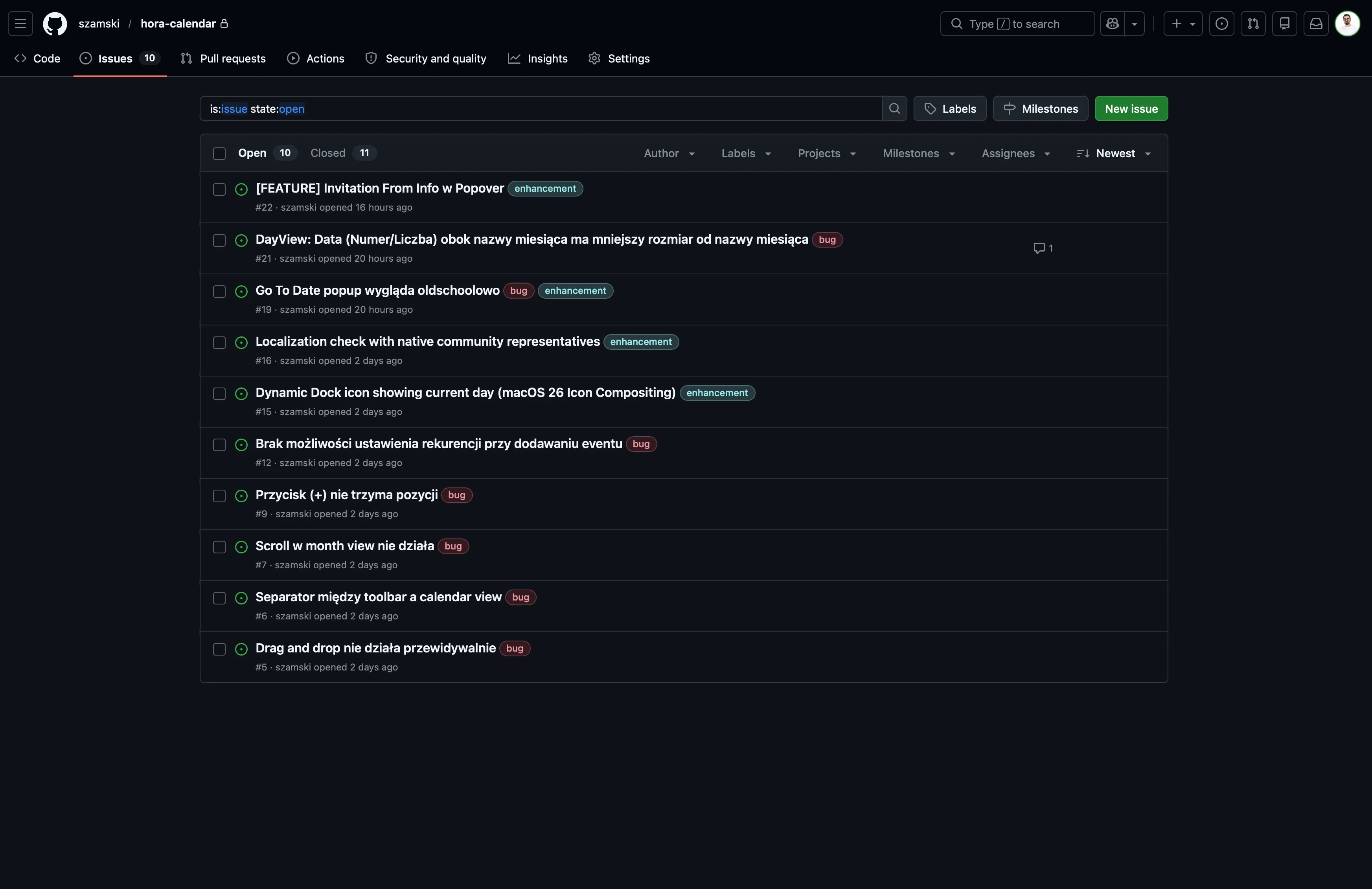
- 21+ bugs tracked and resolved via GitHub Issues
- 3 blog posts written, a landing page shipped, and a privacy policy that passed Google's review
- Version 0.0.1 → 0.5.1
The busiest days? March 31 (18 commits) and April 1 (17 commits) — that's when the modularization happened and a wall of bugs got squashed.
What Actually Ships vs. What Looks Good on Paper
Let me be honest about the state of things.
What works well right now:
Creating events is smooth. Click an empty slot, type, done — it syncs to Google Calendar immediately with optimistic UI. No spinner, no waiting.
Availability sharing is one of my favorite features. Hit Cmd+Shift+A, hora queries Google's FreeBusy API, generates your free slots, and copies them to clipboard. Paste into Slack, email, wherever. Simple, fast, and your data never touches any server besides Google's.
What's still rough around the edges:
Drag & drop and event resizing work, but they're not as polished as I want them to be. Sometimes the snap feels off, sometimes the visual feedback lags behind. These are tracked issues and actively being worked on — but I'm not going to pretend they're perfect yet. That's the point of building in public.
The Daily Driver Test
I've been using hora as my only calendar app for a week now. Multiple Google accounts, back-to-back meetings, recurring events, the works. Some things I noticed:
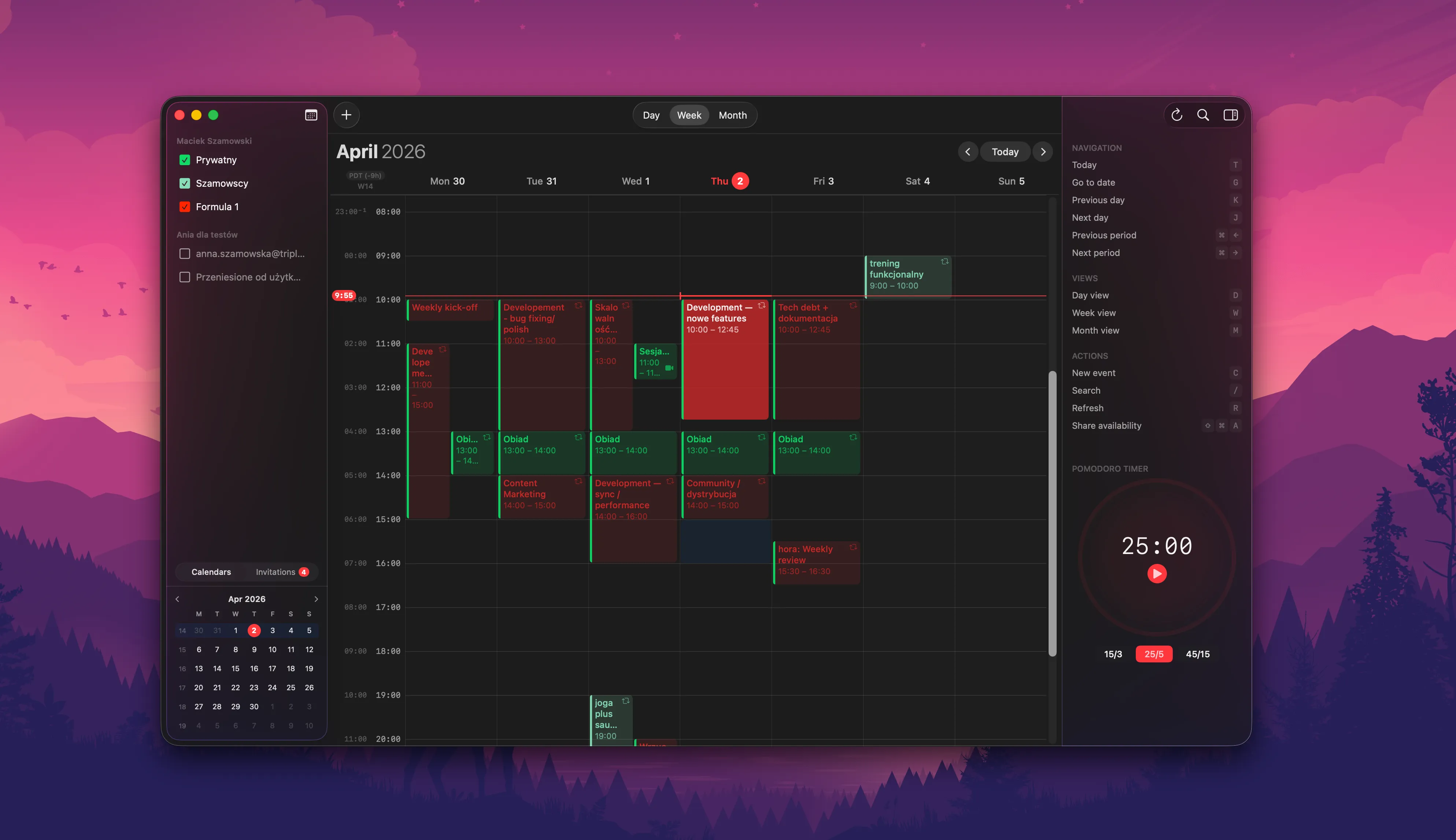
- Sync is reliable. Incremental sync with dirty-checking means changes appear fast and nothing gets lost.
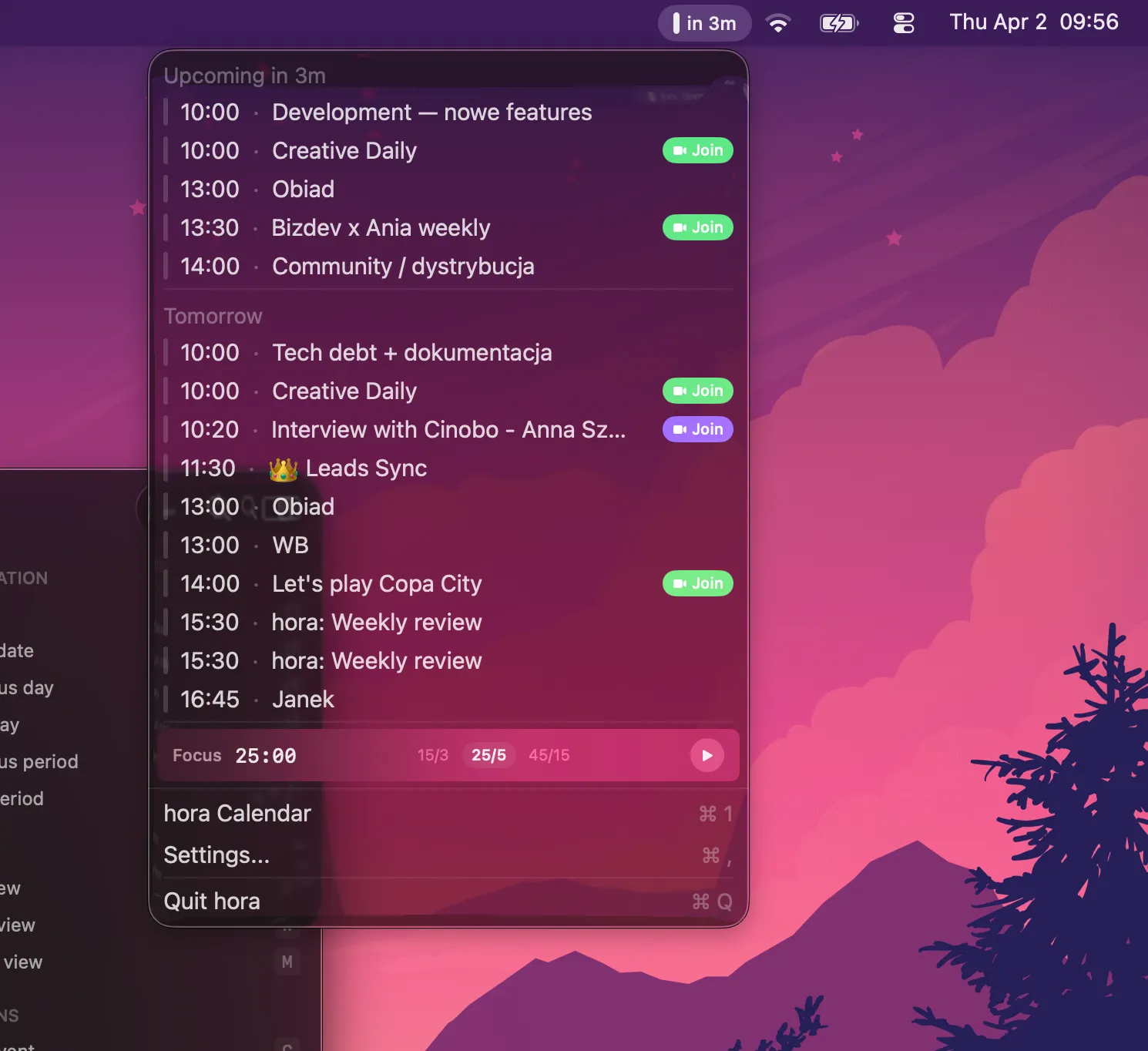
- The menu bar widget is surprisingly useful. A quick glance at what's next without switching windows.
- Keyboard shortcuts change everything.
Cmd+Nfor new event,Cmd+Tfor today, arrow keys to navigate. Once you go keyboard-first, clicking feels slow.
9 Languages (and a Request)
hora now supports 9 languages: English, Polish, German, Spanish, French, Italian, Japanese, Portuguese, and Simplified Chinese.
Full transparency — most translations were generated by AI. They're functional, but almost certainly not perfect. Idioms, calendar-specific terminology, and natural phrasing are hard to get right with machine translation alone.
If you're a native speaker of any of these languages and want to help polish the translations, I'd love to hear from you. Send a note to hello@horacal.app — community contributions here would make a real difference.
The CI/CD Pipeline
One thing I'm proud of: the infrastructure. Xcode Cloud handles builds and TestFlight distribution. GitHub Actions runs the test suite on every pull request. Secrets are generated at build time, never committed to the repo.
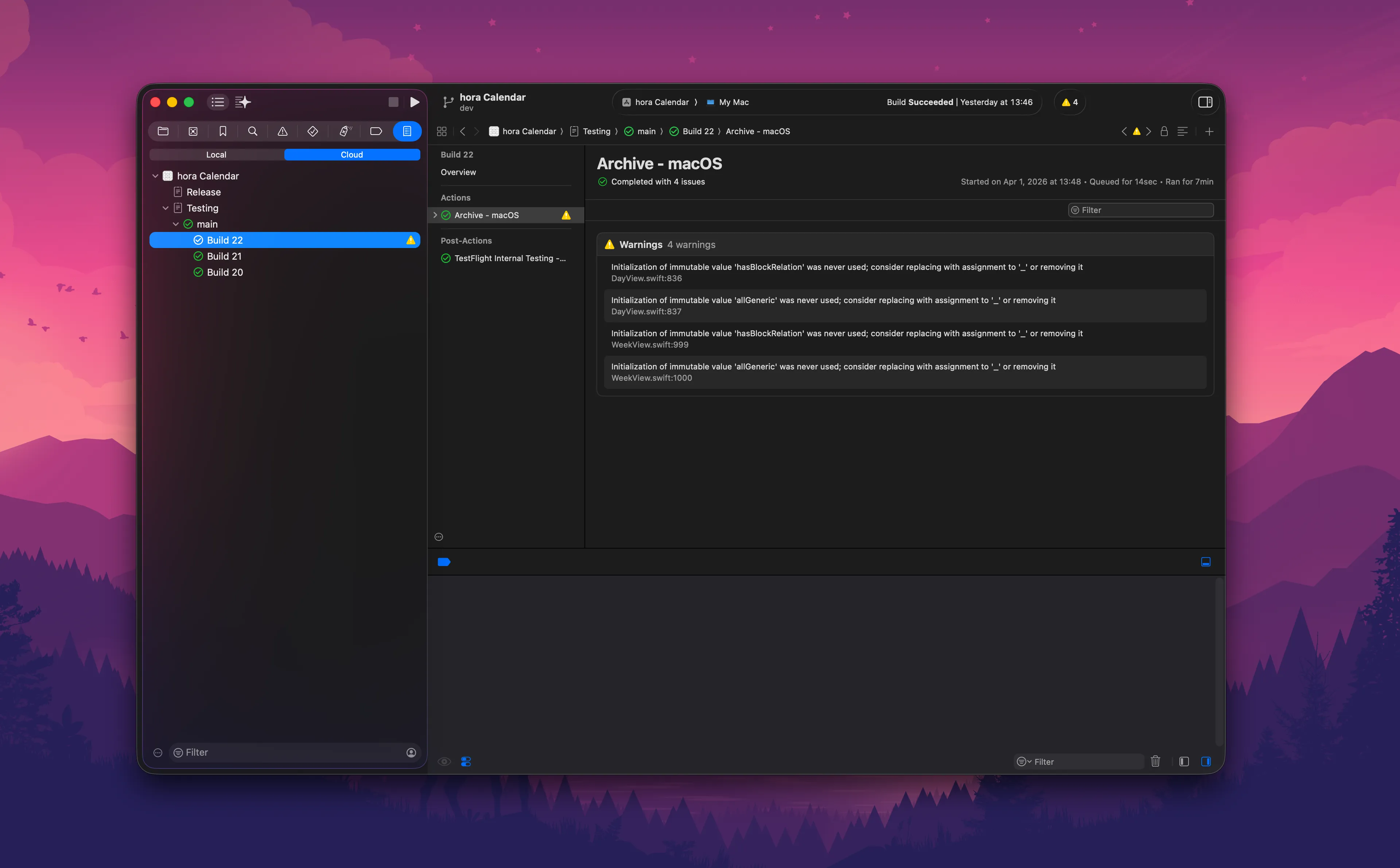
It's not glamorous work, but it means I can ship with confidence. Every commit is tested, every build is reproducible.
What's Next
There's still a long road ahead. The immediate focus:
- Drag & drop and resize polish — making interactions feel truly native
- Google OAuth verification — currently in review, which means new users still see a warning screen
- Performance optimization — large calendars with thousands of events need to stay fast
- More bug fixes — the issue tracker is honest about what's broken
This is week was a part of a much longer journey. The foundation is solid, the app is usable, but "usable" and "great" are very different things.
Check out hora Calendar, follow the build at @moto_szama, or reach out at hello@horacal.app — whether it's translation help, feature requests, or just saying hi.