Every Feature in hora
A native macOS Google Calendar client built with Swift and SwiftUI. Here's everything it does today.
Week View
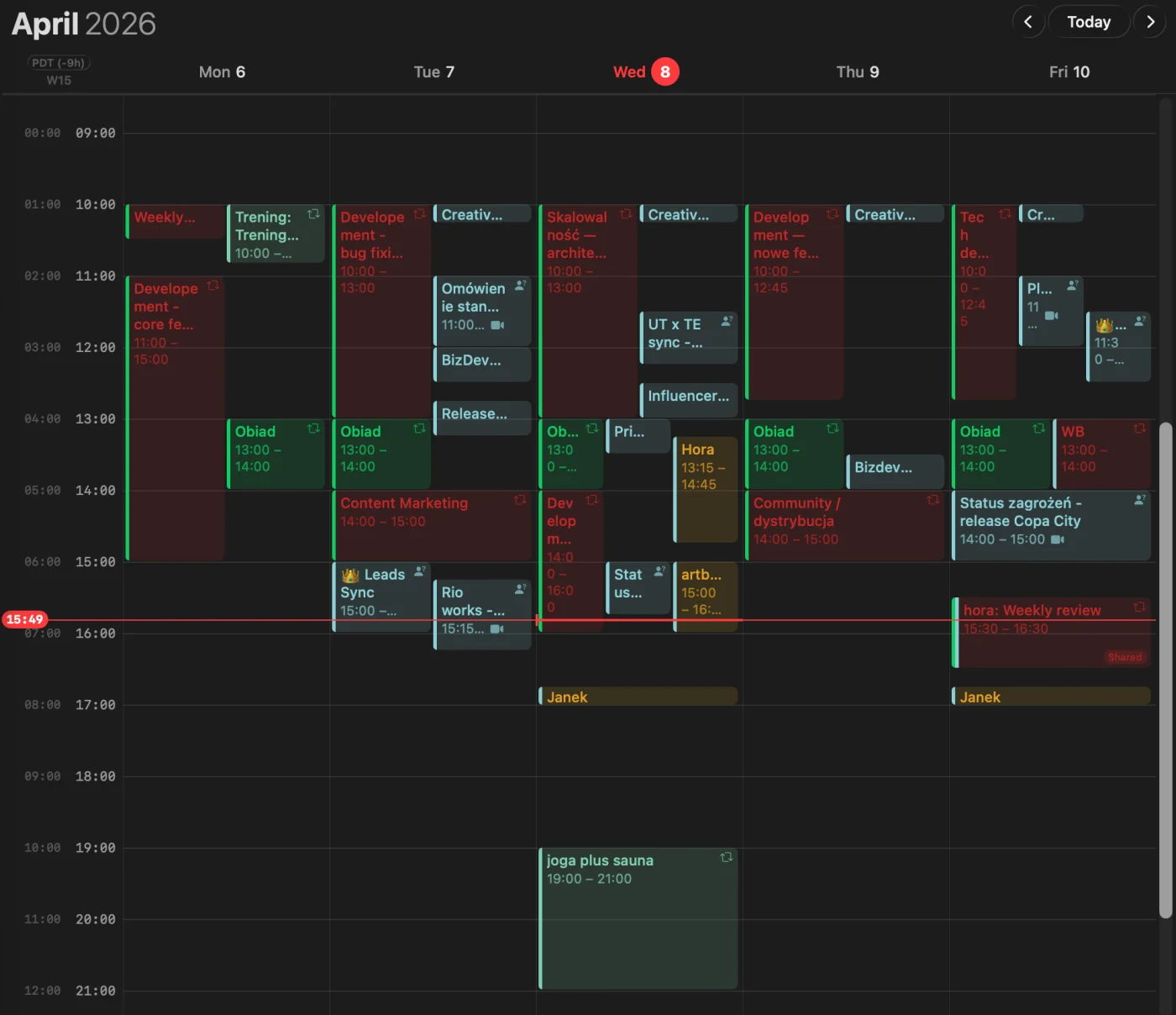
Full 7-day or 5-day work week with hourly grid. Color-coded events from multiple calendars, time indicators, and smooth scrolling. Click any empty slot to create an event instantly.
Month View
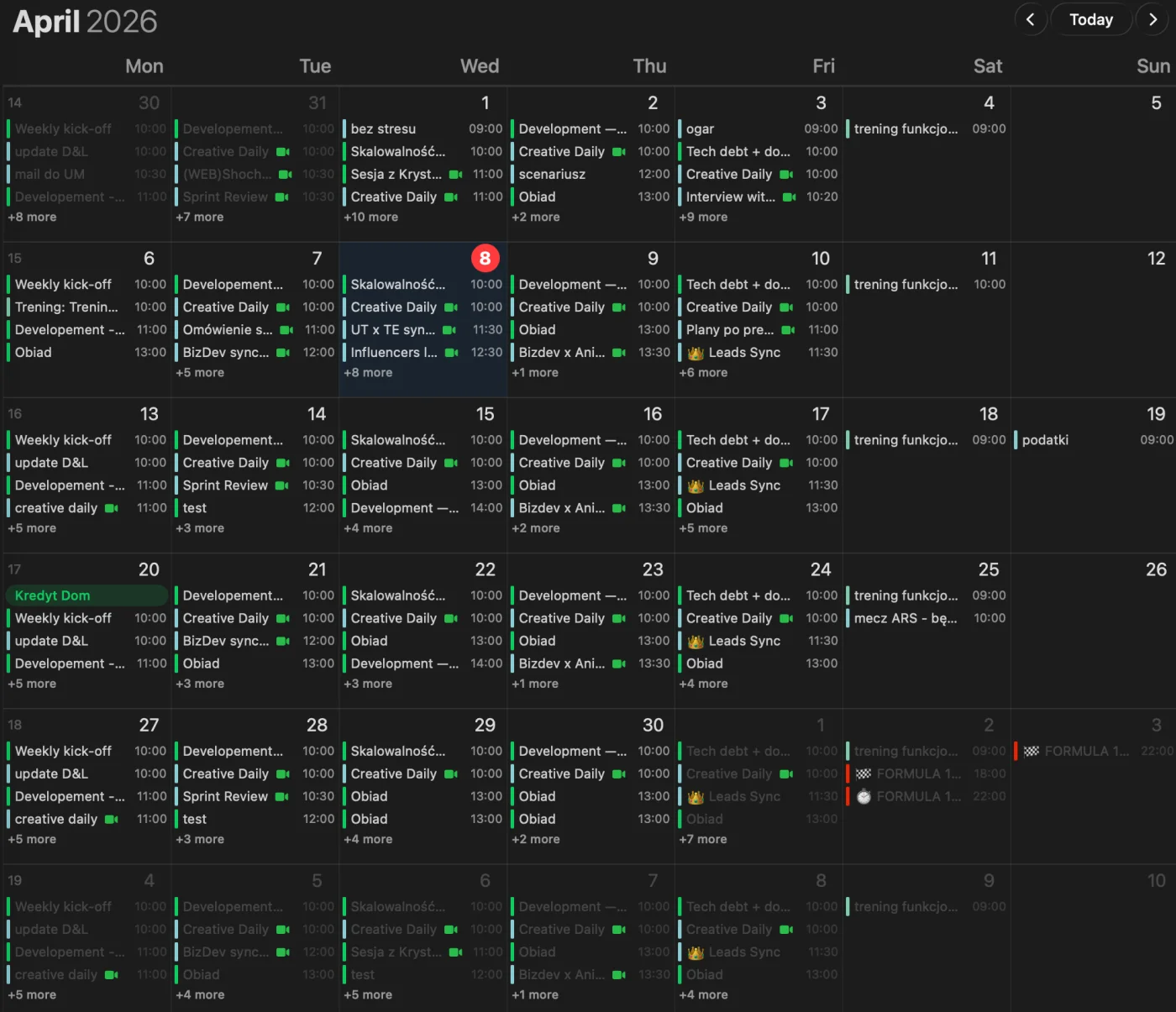
Bird's eye view of your entire month with event density indicators. All-day events displayed as colored bars, timed events as compact rows. Click any day to drill down.
Day View
Focused single-day view with detailed time slots. See every event, meeting link, and attendee at a glance. Perfect for busy days with back-to-back meetings.
Mini Calendar
Sidebar mini calendar for quick date navigation. Click any date to jump there instantly. Shows event density dots for each day.
Create Events
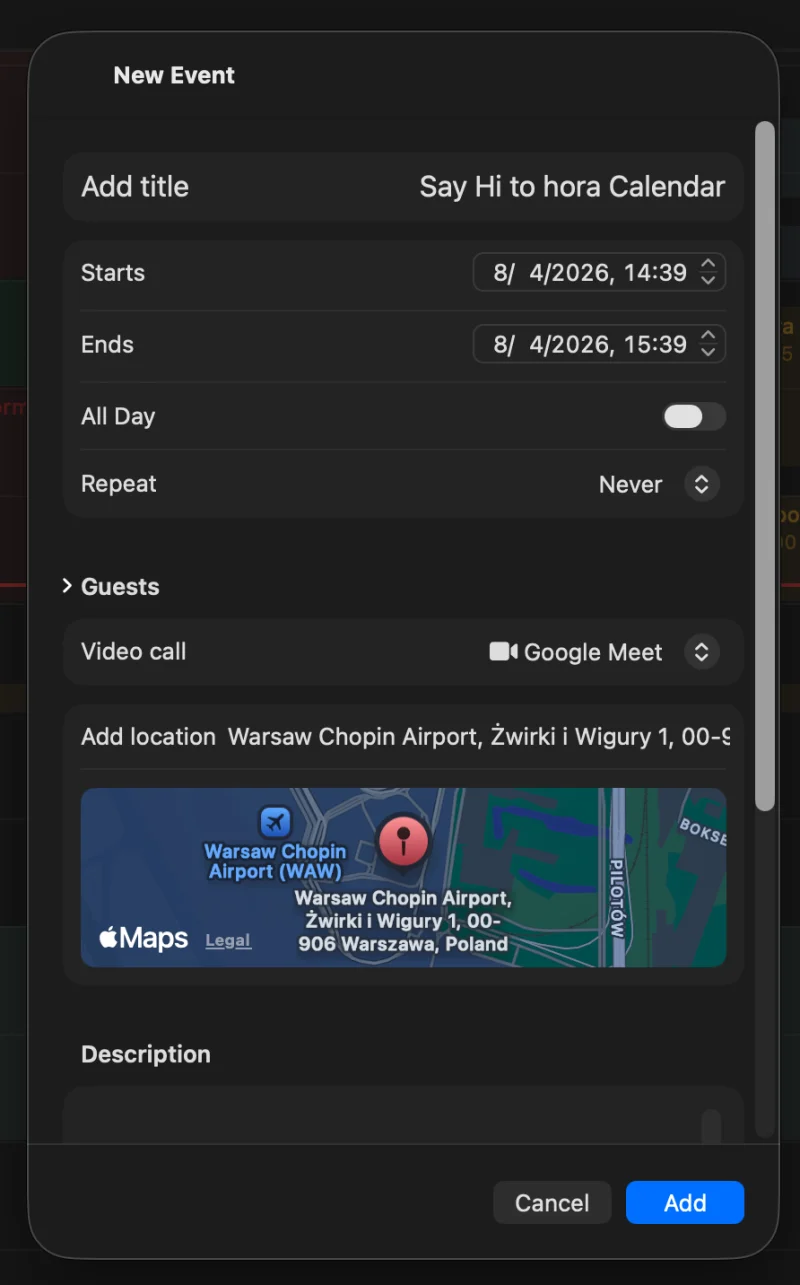
Click an empty time slot or press ⌘N. Set title, time, calendar, location, description, and conference link. Optimistic UI — the event appears instantly before sync confirms.
Edit & Delete
Click any event to edit. Change time, title, attendees, recurrence — everything syncs back to Google Calendar in real time. Delete with confirmation or ⌘⌫.
Drag & Drop
Move events between days and time slots by dragging. Visual feedback shows the new position before you drop. Works across all calendar views.
Resize Events
Drag the bottom edge of any event to change its duration. The time updates live as you drag. Quick way to extend or shorten meetings.
Recurring Events
Full recurrence support — daily, weekly, monthly, yearly, custom patterns. Edit single occurrences or the entire series. Syncs with Google's recurrence rules.
Invitation Management
Accept, decline, or tentatively accept meeting invitations directly from hora. See pending invitations styled differently (dashed borders) so they stand out.
Multi-Account
Sign in with multiple Google accounts. Each account's calendars are color-coded and can be toggled independently. Work and personal calendars, one app.
Direct API
hora talks directly to Google Calendar REST API. No third-party servers, no middleware, no CalDAV translation layer. Your data goes straight between your Mac and Google.
Incremental Sync
Uses Google's sync tokens for efficient incremental updates. Only fetches what changed since the last sync. Configurable sync intervals — from 30 seconds to manual.
Google Meet
Add Google Meet conference links when creating events. One-click join button on events that have meeting links. No need to open a browser to find the link.
Keyboard Shortcuts
Full keyboard navigation inspired by Google Calendar. Navigate between views, create events, jump to today, and move between dates — all without touching the mouse.
Pomodoro Timer
Built-in Pomodoro timer in the day view. Start a focus session tied to your current task. Visual countdown in the sidebar — no need for a separate app.
Availability Sharing
Press ⌘⇧A to generate your free time slots using Google's FreeBusy API. Copies formatted availability to your clipboard. Paste into Slack, email, anywhere.
Menu Bar Widget
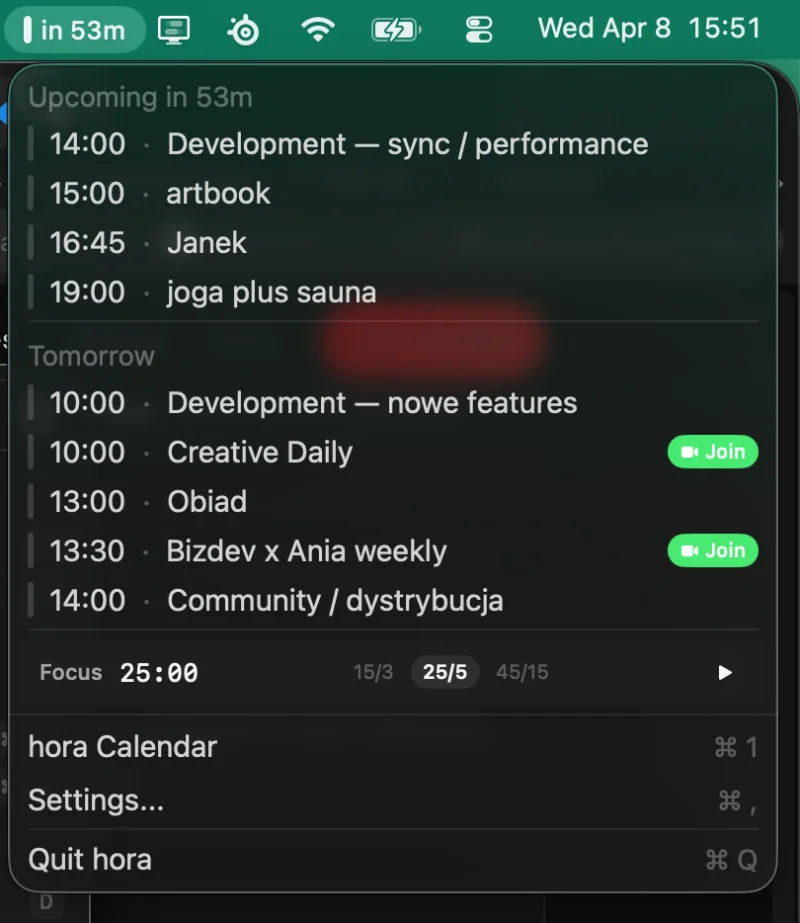
Always-visible menu bar widget shows your next upcoming event. Quick glance at what's next without switching to the calendar. Click to expand for more detail.
Go to Date
Jump to any date with the date picker or ⌘G. Navigate months and years without scrolling. Get to that meeting from 3 months ago in two clicks.
Light & Dark Mode
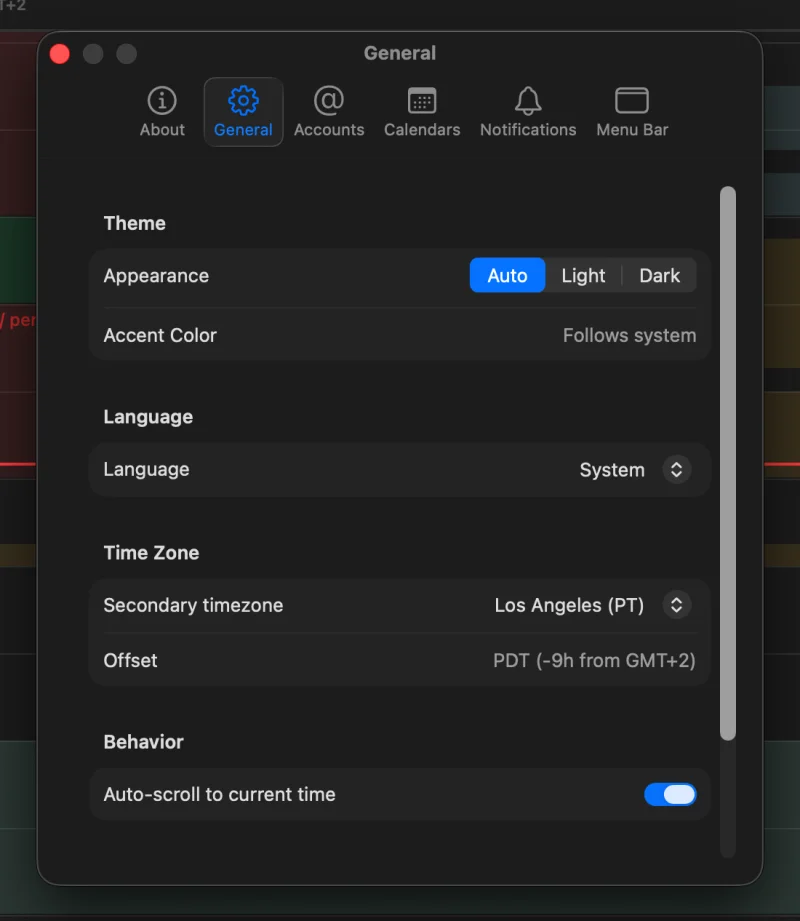
Full support for light mode, dark mode, and auto (follows system). Carefully tuned contrast and opacity values for readability in both modes.
9 Languages
English, Polish, German, Spanish, French, Italian, Japanese, Portuguese, and Simplified Chinese. Interface adapts to your system language automatically.
Calendar Colors
Each calendar gets its own color, matching your Google Calendar settings. Events are color-coded so you can instantly tell which account and calendar they belong to.
Window State
hora remembers your window size and position between launches. Open it up and it's exactly where you left it. Plays nice with Stage Manager and Spaces.
Privacy First
No analytics on your calendar data. No third-party servers. No tracking. hora connects directly to Google — your events never touch any other server. Ever.
Native macOS
Built with Swift 6 and SwiftUI. No Electron, no web views, no browser engine. Uses a fraction of the memory and CPU compared to web-based alternatives.
Notifications
Native macOS notifications for upcoming events. Uses the system notification center — supports Do Not Disturb, Focus modes, and notification grouping.
Xcode Cloud CI/CD
Every commit is tested, every build is reproducible. Automated builds via Xcode Cloud with TestFlight distribution for beta testers.