

Google API sync
Real-time calendar updates without CalDAV drift. Event colors, blocking events, cross-calendar moves, and multiple Google accounts work natively.
Now on the Mac App Store
Download hora Calendar from the Mac App Store: native SwiftUI, real-time Google Calendar sync, menu bar workflows, and privacy that stays on your Mac.


522+ Mac users already use hora. Now a one-tap install from the Mac App Store.
0
telemetry
Swift 6
native macOS app
1 click
to join meetings
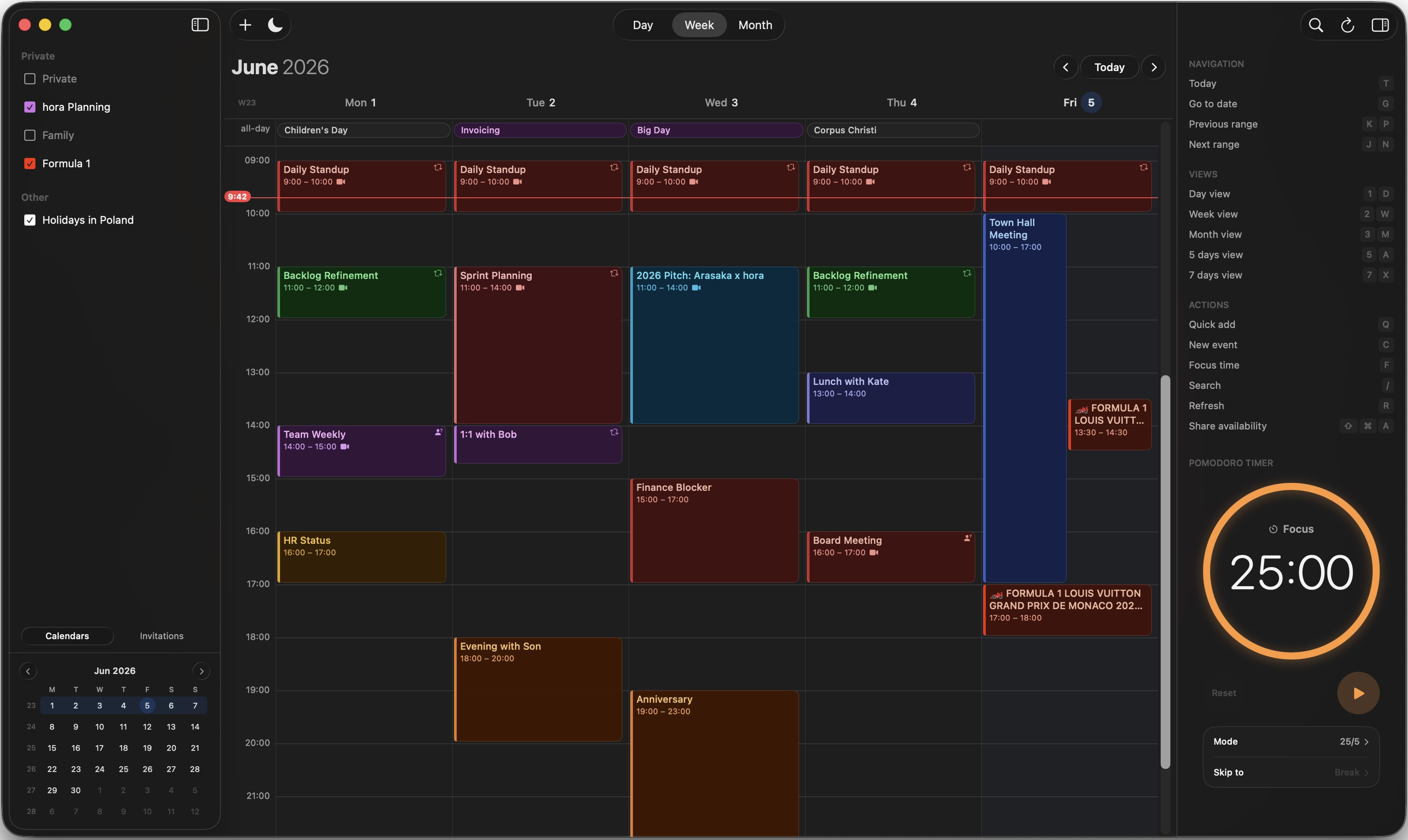
Real-time calendar updates without CalDAV drift. Event colors, blocking events, cross-calendar moves, and multiple Google accounts work natively.


Create meeting links while editing events and join calls from hora in one click.

Tokens stay in macOS Keychain. No telemetry pipeline, no middleware, no server sitting between your Mac and Google.
Built for calendar-heavy work
Check today and tomorrow, see what is next, and jump into meetings without opening a browser.
Natural language parsing for EN, PL, ES, PT, DE, FR and more, with Apple Intelligence help where available.
Select a day or week and let hora place deep-work blocks around your real calendar.
One shortcut creates a clean message you can paste into email or chat.
Get warned when meetings are ending or when one running long can make you late.
macOS Contacts plus Google Other Contacts power one-touch guest suggestions.
Get it now
The Mac App Store gets you the app. Discord gets you the feedback loop. Newsletter gets you launch notes and the iOS/iPadOS beta heads-up.
Newsletter
Get launch notes and the iOS/iPadOS beta heads-up.hora is on the Mac App Store now. Subscribe here for short release notes and a heads-up when the iOS/iPadOS beta is ready.
522+Mac users already use hora